


 English
 Polski
 Česky
Česky
 Slovenská
 Română
 Magyar
 български език
- New


zoom_in


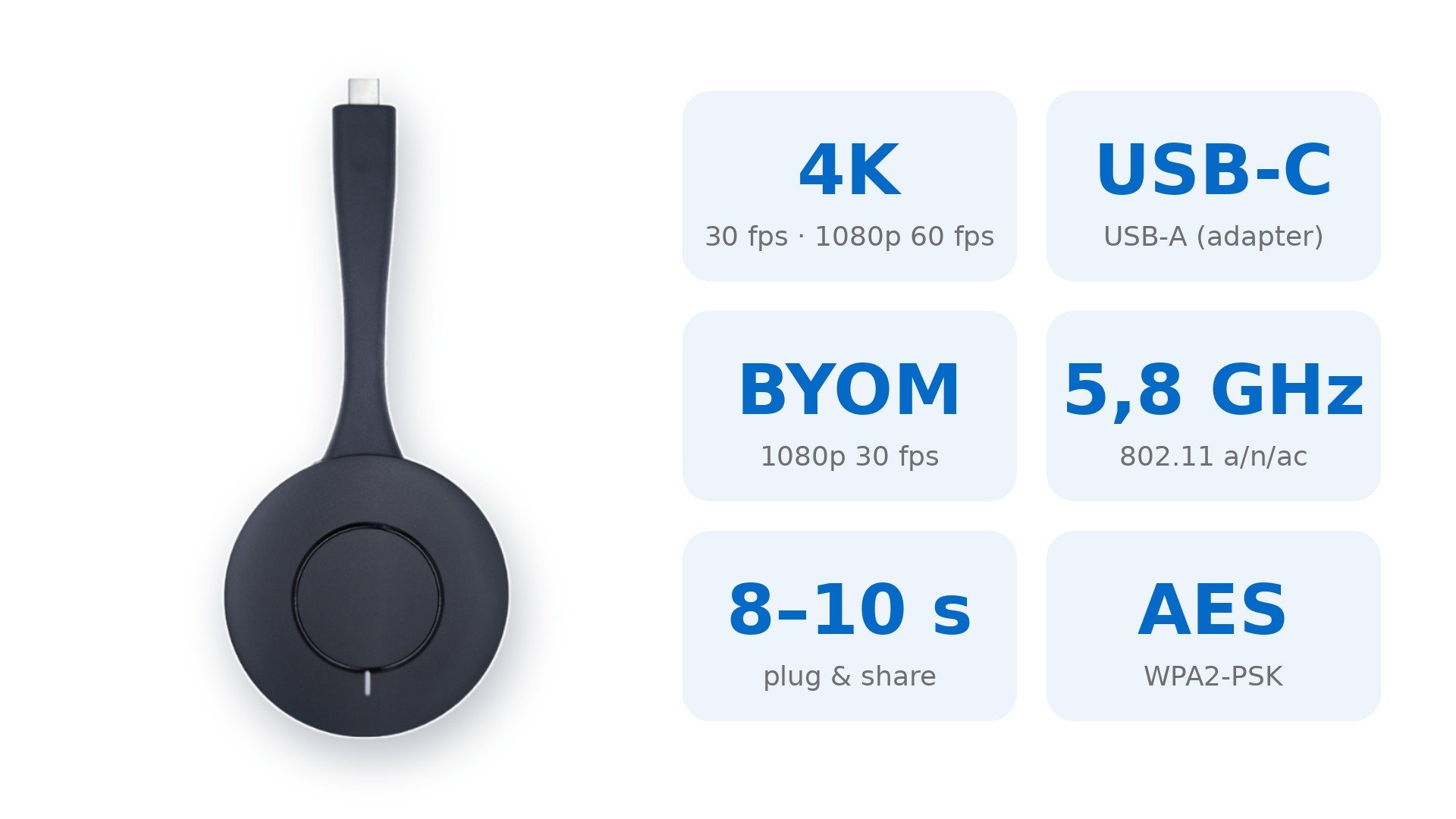
The METZ GDWBZ2+ wireless dongle for V series interactive displays. Plug it into a laptop, press the button and your screen appears on the display. No software, no setup and no use of the computer’s Wi-Fi. Up to 4K/30 fps via USB-C, touch control from the display and BYOM support.

The METZ GDWBZ2+ dongle completes the V series interactive displays. It is maintenance-free and transparent to the computer: no drivers, apps or admin rights are needed, and it connects to the display over its own 5.8 GHz link, so the laptop stays on its own Wi-Fi network. About 8–10 seconds after plugging in, one button sends your screen to the big display.
No configuration or installation. Startup takes about 8–10 seconds without occupying the computer’s Wi-Fi connection.
USB-C DisplayPort mode for computers, phones and tablets, plus USB mode for computers. USB-A connection via a USB-C to USB-A adapter.
1080p at 30–60 fps and 4K at 30 fps. 4K transmission is available in USB-C DisplayPort mode.
Touch feedback for Windows, macOS and Android. Windows and macOS support 10-point touch and mouse mode.
Bring Your Own Meeting: the display’s camera and microphones work on the laptop as a virtual camera (1080p, 30 fps) and microphone, so you run the video call from your own computer.
Extended desktop mode on Windows 7/8/10/11 and macOS: the presentation on the display, your notes on the laptop.
| Model | GDWBZ2+ |
| Interface | USB-C / USB; USB-A via USB-C to USB-A adapter |
| Setup | No configuration or installation required |
| Operating systems | Windows 7/8/10/11, macOS, Linux |
| USB-C DP mode | Devices with USB-C DisplayPort output, OS-independent |
| Startup time | approx. 8–10 s |
| Resolution / frame rate | 1080p: 30–60 fps; 3840 × 2160: 30 fps (USB-C DP mode) |
| Latency | 90–180 ms at 60 fps, depending on receiver |
| Extended desktop | Windows 7/8/10/11, macOS |
| Touch feedback | 10-point touch and mouse mode: Windows 7/8/10/11, macOS |
| BYOM | Wireless camera and microphone sharing |
| Virtual camera / microphone | 1080p 30 fps, MJPEG / PCM 16-bit |
| Wireless standard | IEEE 802.11 a/g/n/ac |
| Frequency band | 5.8 GHz |
| Encryption | AES / WPA2-PSK |
The dongle works with METZ V series displays (built-in QuickShare receiver). Feature availability depends on the connection mode and source device; USB-C DisplayPort mode requires a computer, phone or tablet with DisplayPort output over USB-C.
.jpg)
Become a METZ Partner in Poland and start earning money from business and educational interactive monitor projects!
Register now.jpg)


